
How Bryan works
Talk it out before it disappears.
Message or voice-note Bryan on WhatsApp. Use the Control Centre to manage connections and permissions.
Bryan remembers what matters, texts first when something needs your attention and helps keep it moving.
Chosen context and support
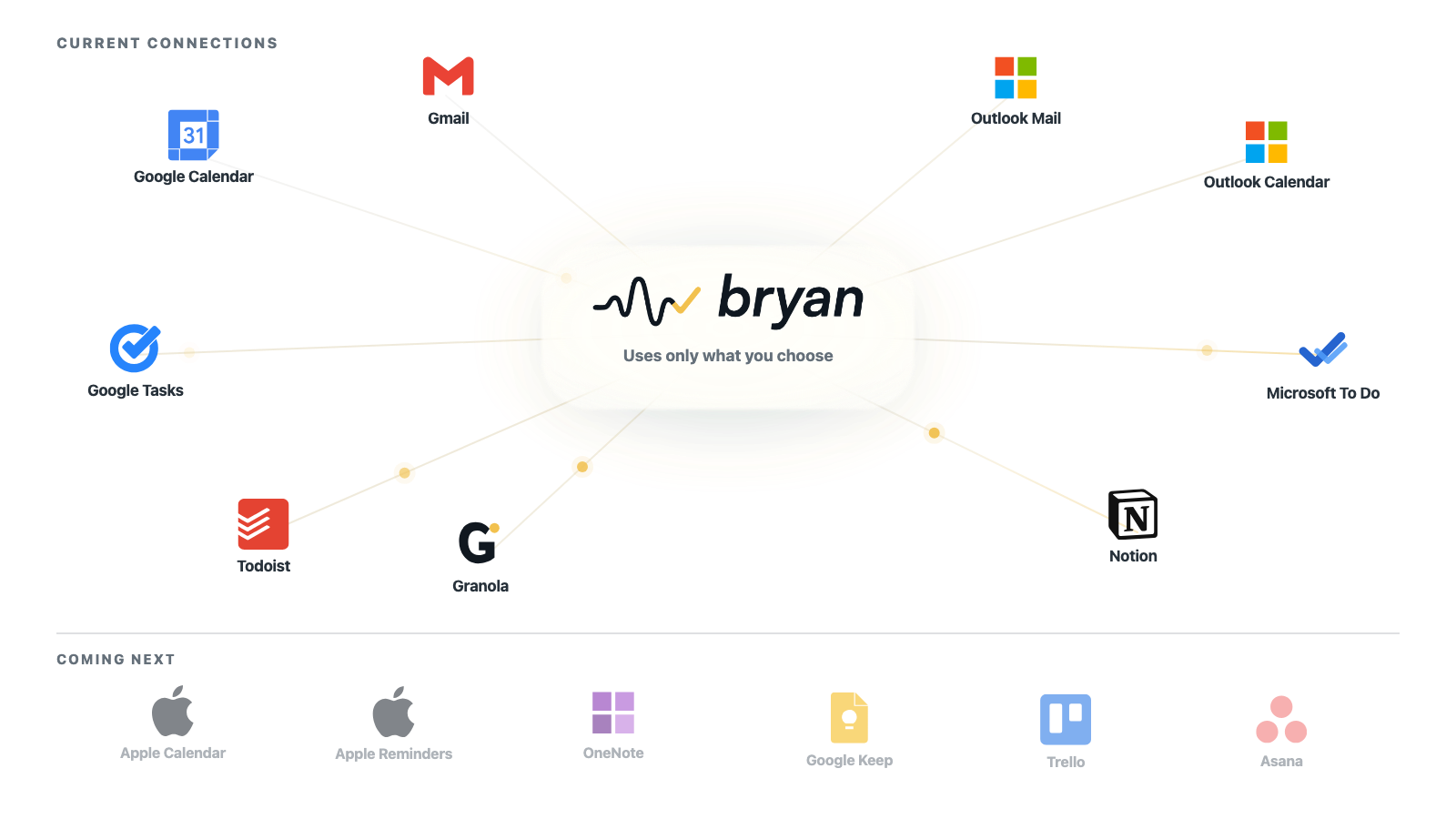
Bryan is not another app. It works through WhatsApp and the apps you already use.
Connections give Bryan only the context you permit. Workflows and routines define what returns through WhatsApp, not another app you need to keep open.
The service loop
Remember what matters. Pick it back up. Finish it.
Start with the unfinished version. Bryan clarifies what matters, keeps the context and returns when needed.
Tell Bryan
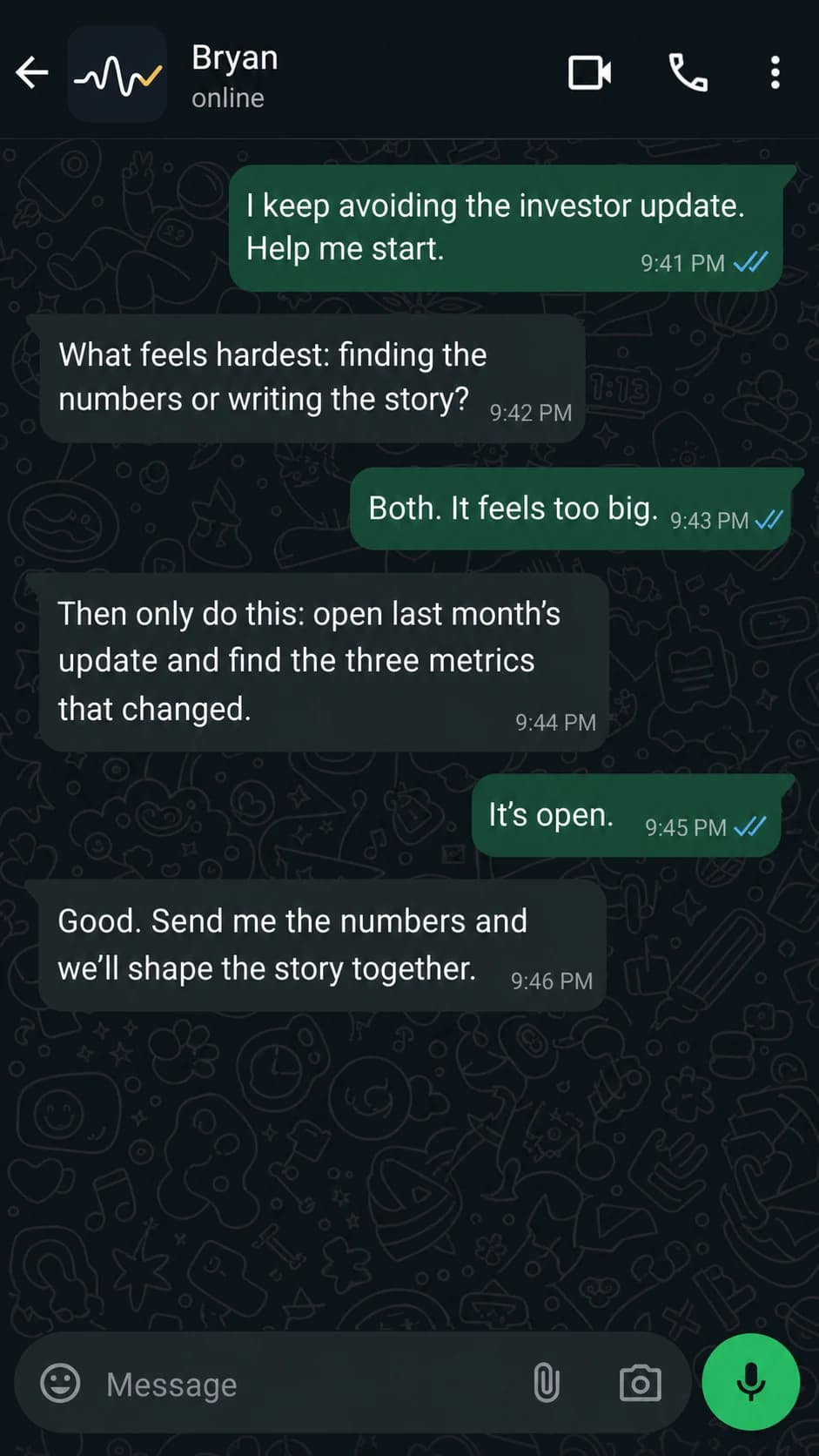
Send the incomplete version by WhatsApp text or voice note.
Work out what matters
Bryan clarifies only what changes the result.
Remember and return
Bryan can bring a commitment back, send a brief or follow up.
Review or respond
Approve an action, answer a question or decide what happens next.
Stay in control
Open the Control Centre to inspect memory, connections, routines and history.
Return without rebuilding
When plans change, the useful context stays.
Bryan supports remembering, starting, sequencing and returning after interruption. Keep, move or shrink what remains, then choose the next useful step.
Come back without shame.
Private by design
Personal enough to be useful. Controlled enough to trust.
Bryan can be useful because you choose the context, routines and permissions he works with. You can inspect what he remembers and keep consequential actions reviewable.
Google Workspace data is handled under Google API Limited Use requirements and is not used to develop, improve or train generalized AI or machine-learning models.
You choose access
Connect only the services you want Bryan to use, and change those permissions when you want.
Consequential actions stay reviewable
Bryan suggests. You decide, unless you have explicitly configured a different permission for that action.
Memory stays inspectable
Review, correct or remove remembered context from your private control centre.
Personal data is not for sale
Your personal information is not sold or used for advertising.
Raw audio is not kept by default
Raw audio is not retained by default after transcription.
Proactivity stays configurable
Messages use the routines, context and permissions you choose. You can change or stop proactive routines.
Common questions
What people usually want to know.
The short version of how Bryan works and where you stay in control.
- What is Bryan?
- Bryan is an AI executive assistant for everyday life. It helps carry remembering, organising and follow-through through WhatsApp, with a private web Control Centre for configuration and oversight.
- How do I use Bryan?
- Send Bryan a WhatsApp message or voice note in the same way you would message a person. Bryan can clarify what matters, keep useful context and return with a reminder, brief or follow-up. You can connect only the accounts and routines you choose.
- Does Bryan act without my approval?
- Bryan can prepare suggestions and help keep work moving, while consequential actions remain reviewable. You decide what Bryan can access and approve the actions that need your say-so.
- What does the Control Centre do?
- The private web Control Centre is where you inspect connections, remembered context, workflows, routines, approvals and activity, and change how Bryan works for you.
- Is Bryan only for people with ADHD?
- No. Bryan is for anyone who wants practical help carrying everyday life admin. Its support for remembering, starting, sequencing, returning and recovering is designed to work well for ADHD and neurodivergent people, and no diagnosis is required.
- Does HeyBryan sell personal information?
- No. HEYBRYAN LTD does not sell personal information. You choose which services to connect, and you can revoke connections or request deletion using the available settings and support channels.
Explore by need
Go deeper on the part you are looking for.
AI executive assistant for everyday life
See the coordination Bryan can carry.
WhatsApp AI assistant
See the WhatsApp flow.
ADHD life-admin support
See ADHD support.
Plans and pricing
See pricing.
Try Bryan free
Give Bryan one thing that is still mentally open.
Create your account, connect only what you want, and start in WhatsApp.